
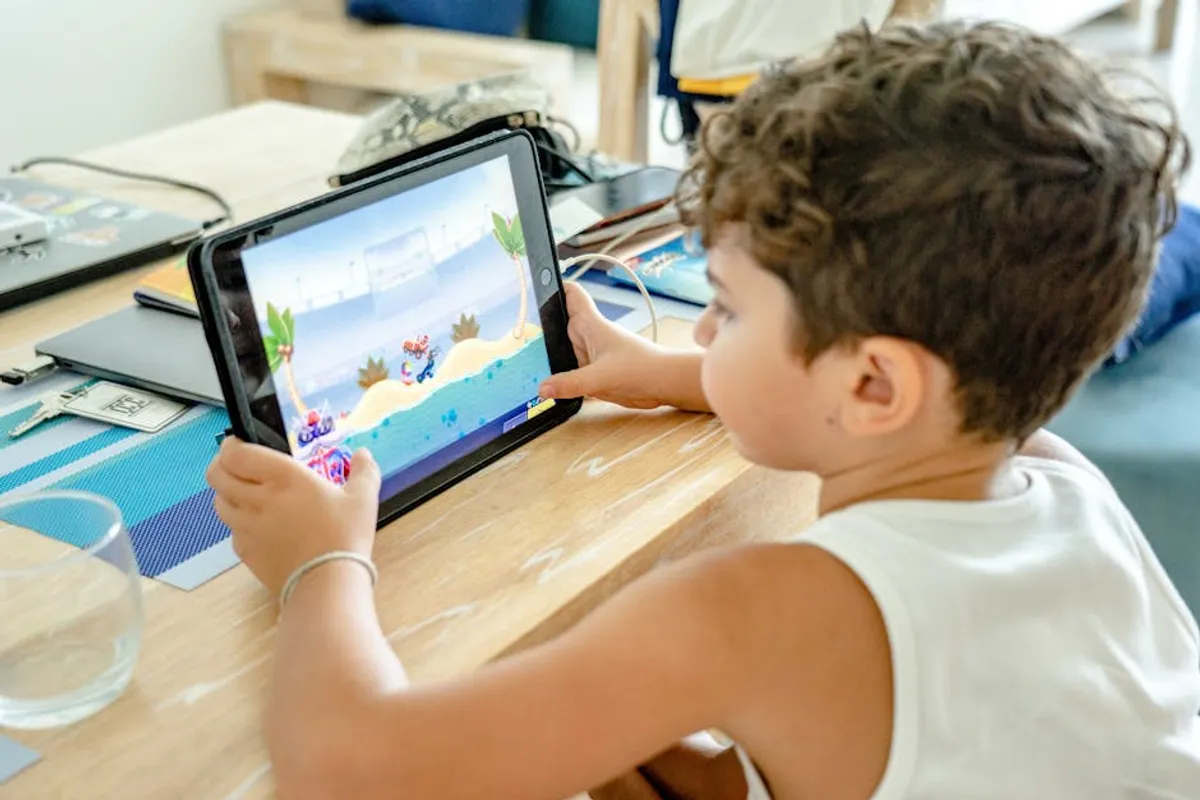
Choosing the right educational game for children involves navigating a vast landscape of options, each promising to blend learning with entertainment. For parents and educators, the decision extends beyond simply finding an engaging app; it requires identifying platforms that deliver measurable educational outcomes, align with developmental stages, and foster genuine curiosity. This selection process is critical because the most effective educational games aren't just digital distractions; they are thoughtfully designed tools that reinforce academic concepts, develop critical thinking, and build essential skills through interactive experiences. The goal is to pinpoint games that offer a substantive learning curve, adaptable content, and a user experience that keeps children motivated without relying on superficial rewards. This guide details a curated list of educational games, evaluating their core pedagogical approach, target age groups, and overall value proposition to help make informed choices for children's digital learning.
Key Considerations When Choosing Educational Games
Selecting an educational game requires a focused approach to ensure it meets specific learning objectives and suits a child's individual needs. Evaluate these factors before committing to a platform:
- Curriculum Alignment: Verify if the game's content directly supports established educational standards (e.g., Common Core, national science standards) or specific learning goals you have for your child. Generic "learning" claims often lack this structured foundation.
- Pedagogical Design: Assess the underlying teaching methodology. Does it promote rote memorization, or does it encourage problem-solving, critical thinking, and conceptual understanding? Look for games that offer adaptive learning paths, adjusting difficulty based on performance.
- Engagement and Replayability: Beyond initial appeal, consider how the game sustains interest. Effective educational games integrate compelling narratives, diverse challenges, and opportunities for creative expression, ensuring long-term engagement rather than quick boredom.
- Age Appropriateness and Developmental Stage: A game designed for a 5-year-old will likely bore an 8-year-old or frustrate a 3-year-old. Ensure the content, interface, and cognitive demands match the child's developmental stage to maximize learning and minimize frustration.
- Privacy and Data Security: Review the developer's privacy policy. Understand what data is collected, how it's used, and whether it complies with regulations like COPPA (Children's Online Privacy Protection Act). Prioritize platforms that minimize data collection and offer secure environments.
- Parental Controls and Progress Tracking: Look for features that allow parents to monitor activity, set time limits, and review learning progress. Detailed progress reports can highlight areas of strength and weakness, informing further educational support.
- Cost Model: Differentiate between free-to-play games with in-app purchases, one-time purchase apps, and subscription services. Evaluate the value provided against the cost, considering whether premium features genuinely enhance the learning experience.
1. MathWhiz Academy
MathWhiz Academy focuses on conceptual understanding of elementary mathematics through adaptive challenges. It employs a scaffolded learning approach, starting with foundational arithmetic and progressing to early algebra concepts, all within a narrative-driven adventure format. The platform uses AI to identify individual learning gaps and provides targeted practice, ensuring mastery before advancing.
Best For: Children aged 6-10 requiring reinforcement in core math skills or seeking advanced problem-solving challenges.
Pros: Adaptive difficulty adjusts to individual child's pace; comprehensive curriculum coverage from K-5; includes detailed parent progress reports; strong emphasis on problem-solving over rote memorization; engaging storyline maintains interest.
Cons: Subscription model can be costly for multiple children; requires consistent internet connection for full functionality; limited content for pre-K or middle school levels.
Verdict: A robust platform for structured math learning, particularly effective for identifying and addressing specific skill gaps through its adaptive engine and engaging content delivery.
2. StoryCrafters Workshop
StoryCrafters Workshop is designed to cultivate literacy and creative writing skills by guiding children through the process of building their own interactive stories. Users select characters, settings, and plot points, then write dialogue and descriptions, which are then brought to life with animated scenes and voice narration options. The platform provides prompts and tools to overcome writer's block.
Best For: Children aged 7-12 developing narrative skills, vocabulary, and imaginative expression.
Pros: Fosters creativity and independent storytelling; improves vocabulary and sentence structure; offers a tangible outcome (a personalized story); provides structured prompts without stifling imagination; supports various learning styles.
Cons: Requires a basic level of reading and writing proficiency to start; initial setup can be complex for younger users; limited collaborative features for group projects.
Verdict: An excellent tool for nurturing young authors, offering a guided yet flexible environment for developing comprehensive literacy skills beyond basic reading comprehension.
3. CodeQuest Adventures
CodeQuest Adventures introduces children to fundamental coding concepts through a series of gamified challenges and puzzles. It uses a block-based visual programming language, similar to Scratch, allowing users to drag and drop commands to control characters and solve objectives. The curriculum progresses from simple sequencing to loops, conditionals, and basic functions, building a solid foundation in computational thinking.
Best For: Children aged 8-14 interested in early coding, logic, and problem-solving.
Pros: Intuitive visual interface makes coding accessible; teaches core programming concepts systematically; includes a project creation sandbox for independent exploration; strong emphasis on logical reasoning and debugging; supports self-paced learning.
Cons: Can become repetitive without new content updates; some advanced concepts require parental guidance; primarily focused on block-based coding, less on text-based languages.
Verdict: An effective entry point into computer science, providing a playful yet structured environment for developing critical computational thinking skills and an understanding of programming logic.
4. Science Explorers Lab
Science Explorers Lab offers interactive simulations and virtual experiments across various scientific disciplines, including physics, chemistry, and biology. Children can manipulate variables, observe outcomes, and draw conclusions in a safe, digital environment. The platform integrates short explanatory videos and quizzes to reinforce scientific principles and the scientific method.
Best For: Curious children aged 9-13 who thrive on hands-on exploration and understanding scientific phenomena.
Pros: Provides access to experiments impractical or unsafe in real life; fosters hypothesis testing and data analysis; covers a broad range of STEM topics; visually engaging simulations; encourages critical observation.
Cons: Lacks the tactile experience of real-world experiments; some simulations require higher-end device performance; content depth varies across different scientific areas.
Verdict: A valuable supplementary resource for science education, offering a dynamic way to visualize complex concepts and practice the scientific method through engaging virtual experimentation.
5. GeoGenius Puzzles
GeoGenius Puzzles is a geography-focused game that challenges children to identify countries, capitals, flags, and major landmarks through interactive maps and trivia. It incorporates mini-games that teach about different cultures, climates, and economies, fostering a broader understanding of global diversity. The difficulty scales from continent identification to specific city locations.
Best For: Children aged 6-12 developing geographical knowledge, cultural awareness, and critical thinking about global connections.
Pros: Enhances memory and recognition of global geography; introduces cultural diversity and basic economics; features multiple game modes to prevent monotony; includes up-to-date political maps; encourages fact retention.
Cons: Can feel like rote memorization for some users; limited in-depth exploration of specific regions; some older devices may experience slower map loading times.
Verdict: An engaging way to build foundational geographical knowledge and spark interest in world cultures, offering varied challenges to reinforce learning effectively.
6. Artful Minds Studio
Artful Minds Studio provides a digital canvas and a suite of tools for children to explore various art forms, from drawing and painting to sculpting and animation. It includes guided tutorials on techniques like color theory, perspective, and character design, encouraging both free expression and structured learning. Finished creations can be saved and shared in a moderated gallery.
Best For: Creative children aged 5-11 eager to express themselves artistically and learn foundational art concepts.
Pros: Develops fine motor skills and digital literacy; fosters creativity and self-expression; offers a wide range of artistic tools and mediums; includes structured lessons for skill development; safe sharing environment.
Cons: Digital art may not fully replace physical art experiences; some advanced tools can be overwhelming initially; requires a touchscreen device for optimal drawing experience.
Verdict: A comprehensive platform for digital art education, enabling children to experiment with creativity and learn artistic principles in an accessible and engaging format.
7. LanguageLink Journeys
LanguageLink Journeys introduces children to second languages (Spanish, French, Mandarin, German) through immersive, interactive lessons. It uses a combination of audio, visual aids, and gamified exercises to teach vocabulary, basic grammar, and conversational phrases. The lessons are structured around real-world scenarios, making language acquisition practical and relevant.
Best For: Children aged 7-14 beginning to learn a second language or looking to reinforce existing skills.
Pros: Immersive approach with native speaker audio; builds practical conversational skills; covers multiple popular languages; tracks progress and identifies areas for improvement; engaging mini-games reinforce learning.
Cons: Requires consistent practice for retention; some children may prefer more direct instruction; subscription cost can be a barrier for multi-language access.
Verdict: An effective and engaging platform for foundational second language acquisition, offering a structured yet playful path to vocabulary and basic conversational fluency.
8. Mindful Moments Play
Mindful Moments Play is designed to teach emotional intelligence and social skills through guided activities and interactive scenarios. It helps children identify and manage emotions, practice empathy, and develop coping strategies for stress. The game incorporates short meditation exercises, storytelling, and decision-making challenges that explore social dynamics.
Best For: Children aged 4-9 developing emotional regulation, social awareness, and empathy.
Pros: Addresses crucial social-emotional learning (SEL) skills; provides practical strategies for managing emotions; uses gentle, calming visuals and audio; encourages self-reflection; supports positive peer interactions.
Cons: Content can be less "gamey" than other educational apps; effectiveness depends on parental reinforcement of concepts; limited content updates compared to academic subjects.
Verdict: A valuable resource for fostering emotional literacy and social competence, offering a gentle and supportive environment for children to explore their feelings and interactions.
9. HistoryQuest Chronos
HistoryQuest Chronos takes children on interactive journeys through significant historical periods and events. Users assume the role of a time traveler, solving puzzles and completing quests that require understanding historical context, key figures, and societal changes. The game integrates primary source excerpts and historical artifacts to provide authentic learning experiences.
Best For: Children aged 9-14 interested in history, critical thinking, and understanding cause-and-effect in historical narratives.
Pros: Makes history engaging and interactive; encourages critical analysis of historical events; covers diverse periods and cultures; integrates primary source materials; fosters a deeper understanding of historical context.
Cons: Content can be dense for some learners; requires strong reading comprehension; not all historical periods are equally represented.
Verdict: An innovative approach to history education, transforming abstract timelines into immersive narratives that promote critical engagement with the past.
10. LogicLand Challenges
LogicLand Challenges focuses on developing logical reasoning, spatial awareness, and pattern recognition through a series of increasingly complex puzzles. The game presents abstract problems that require deductive reasoning, sequential thinking, and strategic planning to solve. It includes visual puzzles, number sequences, and spatial arrangement tasks.
Best For: Children aged 7-12 who enjoy puzzles and need to sharpen their analytical and problem-solving skills.
Pros: Directly targets cognitive skills like logic and spatial reasoning; adaptive difficulty keeps challenges engaging; minimal reliance on language, making it accessible; promotes persistence and strategic thinking; offers a variety of puzzle types.
Cons: Can be frustrating for children who prefer narrative-driven games; less explicit academic content compared to other subjects; some puzzles may require hints, which can detract from independent problem-solving.
Verdict: An effective platform for honing core logical and analytical abilities, providing a pure puzzle-solving experience that strengthens cognitive flexibility.
11. EcoGuardians Game
EcoGuardians Game educates children about environmental awareness and sustainability through simulation and resource management. Players manage a virtual ecosystem, making decisions about energy consumption, waste reduction, and conservation efforts. The game demonstrates the impact of choices on biodiversity and climate, encouraging responsible environmental stewardship.
Best For: Children aged 8-13 interested in environmental science, sustainability, and understanding ecological principles.
Pros: Teaches practical environmental concepts; fosters a sense of responsibility and stewardship; demonstrates cause-and-effect relationships in ecosystems; encourages strategic thinking for resource management; promotes awareness of global issues.
Cons: Simulation mechanics can be complex for younger players; requires a longer engagement period to see significant in-game impacts; content updates on new environmental challenges may be infrequent.
Verdict: An impactful game for cultivating environmental literacy, offering a hands-on simulation that illustrates the complexities of ecological balance and sustainable living.
12. Financial Funatics
Financial Funatics introduces basic financial literacy concepts such as earning, saving, spending, and budgeting through a series of interactive scenarios and mini-games. Children manage virtual money, make purchasing decisions, and learn about the value of money and the consequences of financial choices. The game uses a relatable, kid-friendly economy.
Best For: Children aged 6-11 learning about basic economics, financial responsibility, and decision-making.
Pros: Teaches essential life skills in a practical context; makes abstract financial concepts tangible; encourages responsible spending and saving habits; includes age-appropriate scenarios; promotes goal setting.
Cons: Relies on a simplified economic model; may require parental discussion to bridge the gap to real-world finances; limited content for advanced financial topics like investing.
Verdict: An excellent primer for financial education, offering a safe and engaging environment for children to grasp fundamental economic principles and develop sound money management habits.
Selecting the Right Educational Game for Your Child
The optimal educational game aligns closely with a child's specific learning needs and interests. Begin by identifying the primary skill or subject area you wish to reinforce. Observe your child's natural curiosity and play preferences; a game that taps into existing interests will naturally foster greater engagement. Utilize trial periods or free versions where available to assess compatibility before committing to a subscription. Pay close attention to the game's interface and overall user experience—a clunky or frustrating design can undermine even the best educational content. Finally, view these games as complements to traditional learning and real-world experiences, not replacements. Regular discussions about the game's content and how it relates to broader concepts can significantly enhance its educational impact.
Frequently Asked Questions
Are educational games effective for all children?
Effectiveness varies by child and game design. Highly interactive, adaptive games with clear learning objectives tend to be more effective. Children with specific learning styles or needs may benefit more from certain types of games. Parental involvement in guiding play and discussing content also significantly boosts effectiveness.
How much screen time is appropriate for educational games?
There's no universal answer, as guidelines vary by age and individual child. Generally, focused, educational screen time is viewed differently than passive entertainment. Prioritize quality over quantity, ensuring the content is enriching. Many experts recommend balancing digital learning with physical play, reading, and social interaction.
Can free educational games be as good as paid ones?
Some free educational games offer high-quality content, but many rely on in-app purchases or intrusive advertising, which can disrupt the learning experience. Paid apps or subscriptions often provide a more focused, ad-free environment with deeper content and better privacy protections. Evaluate each free option carefully for its pedagogical value and monetization model.
What role should parents play when children use educational games?
Parental involvement is crucial. This includes selecting age-appropriate games, playing alongside children, discussing the concepts learned, and monitoring progress. Parents can help connect in-game learning to real-world situations, reinforcing understanding and extending the educational value beyond the screen.
How do I ensure the game is truly educational and not just entertainment?
Look for games developed with educational experts or aligned with curriculum standards. Check reviews that specifically address learning outcomes, not just "fun factor." A truly educational game will have clear learning objectives, provide constructive feedback, and adapt to the child's progress, rather than simply offering rewards for completion.